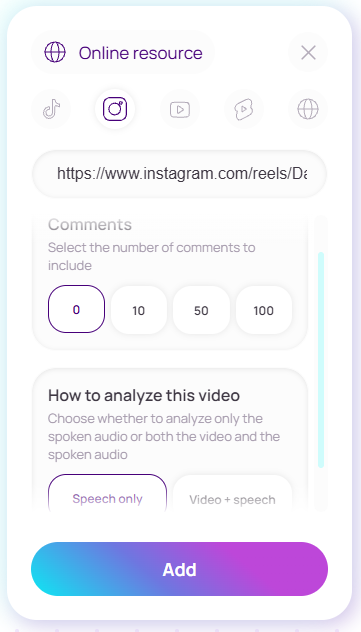
Web and social video
Add a website, YouTube, Instagram or TikTok link and configure the source before it joins the conversation.
A visual workspace for AI
Bring chats, files, images, websites and social video onto one canvas. Blubsy keeps the source material beside the conversation, so the result stays grounded and easy to develop.
Choose a model. Connect the context. Keep the whole line of thought visible.
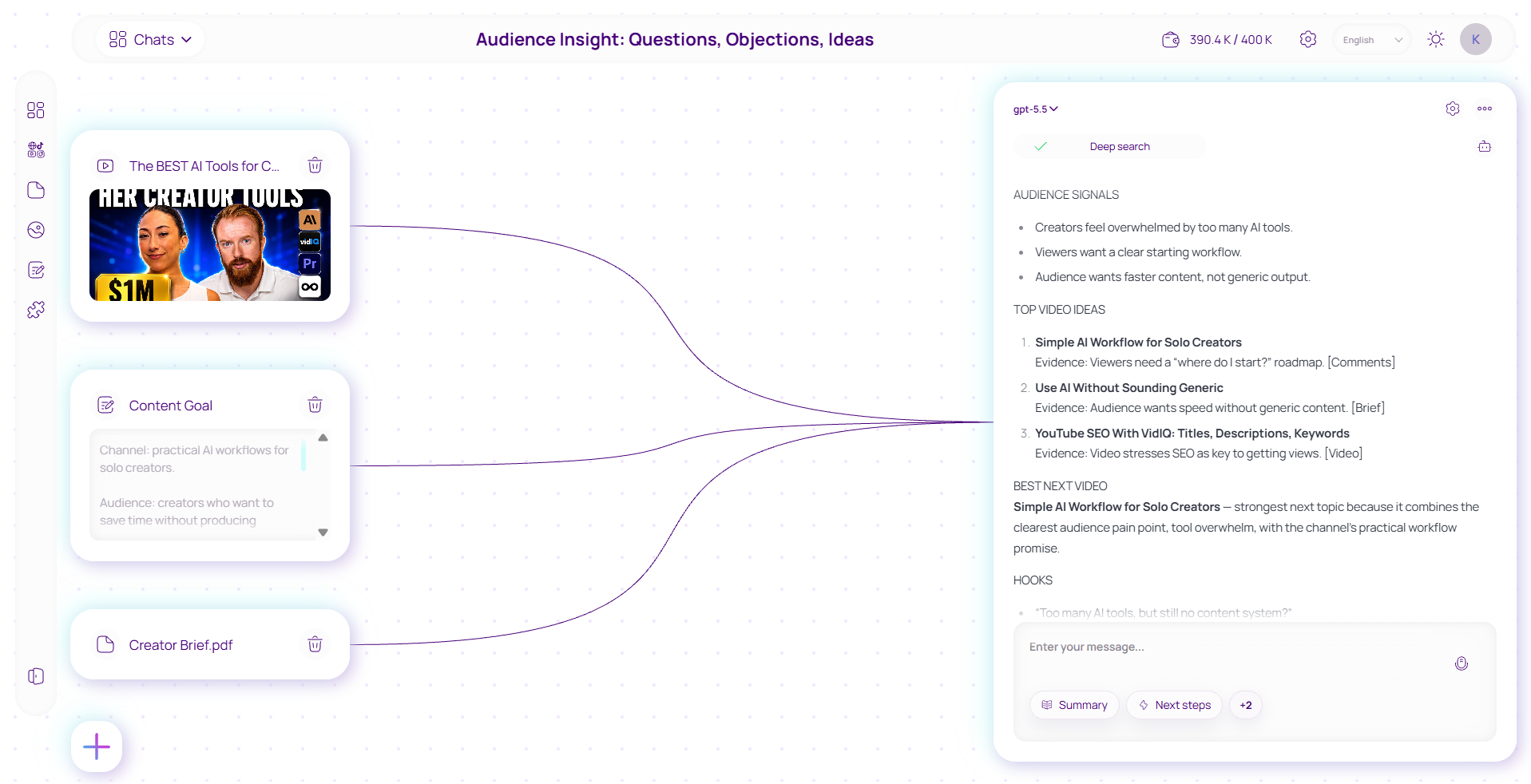
One working surface
Build the context visually, then use the chat as the place where sources become decisions, drafts and next steps.
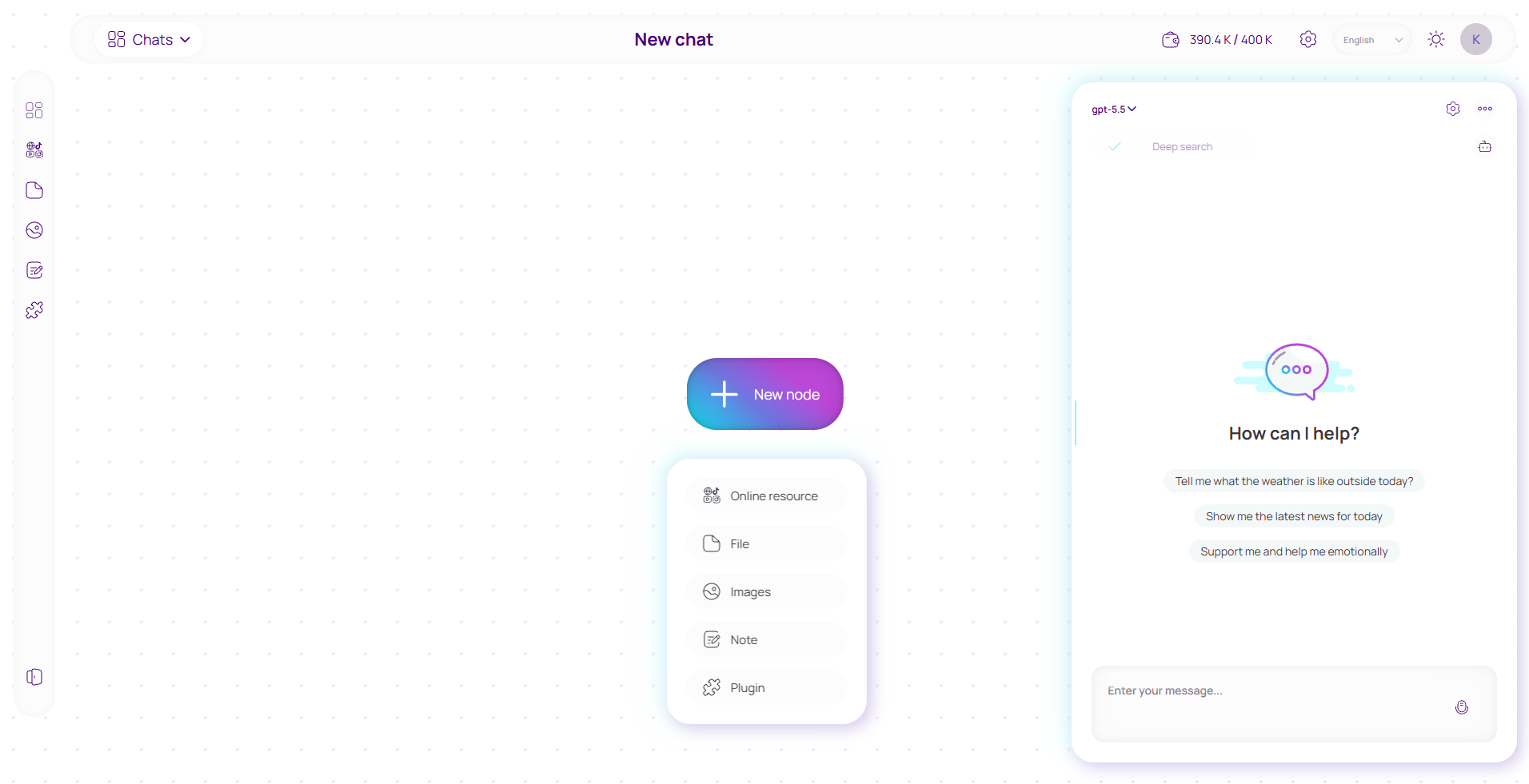
Open a chat and select the model that fits the task in front of you.
Place online resources, files, images, notes or plugins on the same canvas.
Link the relevant nodes to the chat and keep the answer next to its context.
Context without tab switching
Each source remains a visible part of the workspace instead of disappearing into an upload history.
Add a website, YouTube, Instagram or TikTok link and configure the source before it joins the conversation.
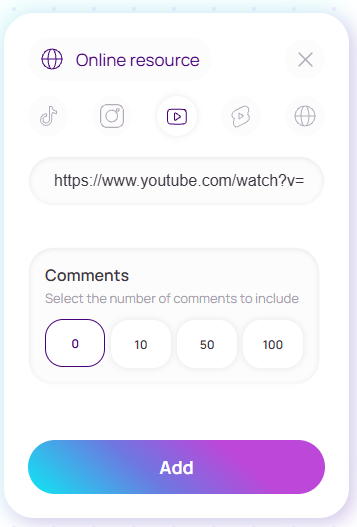
Choose the video input you need and, where available, how many comments should become part of the context.
Model choice
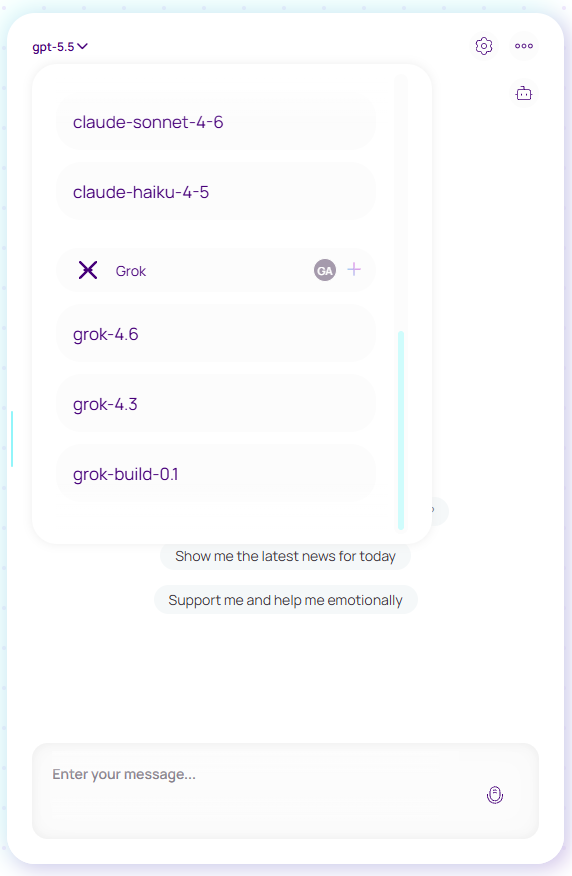
OpenAI, Anthropic and xAI models live in one selector. The canvas and connected sources stay in place while you choose how the next answer should be produced.
Available models depend on the providers connected to your account.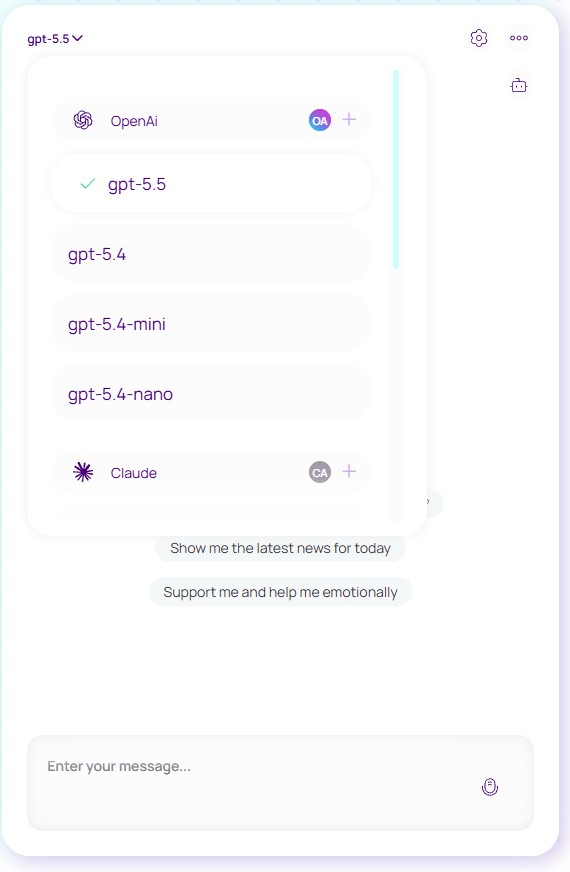
Connected workflows
Two real workflows show how audience research becomes a campaign visual, then a finished video — without leaving the canvas or rebuilding the context.
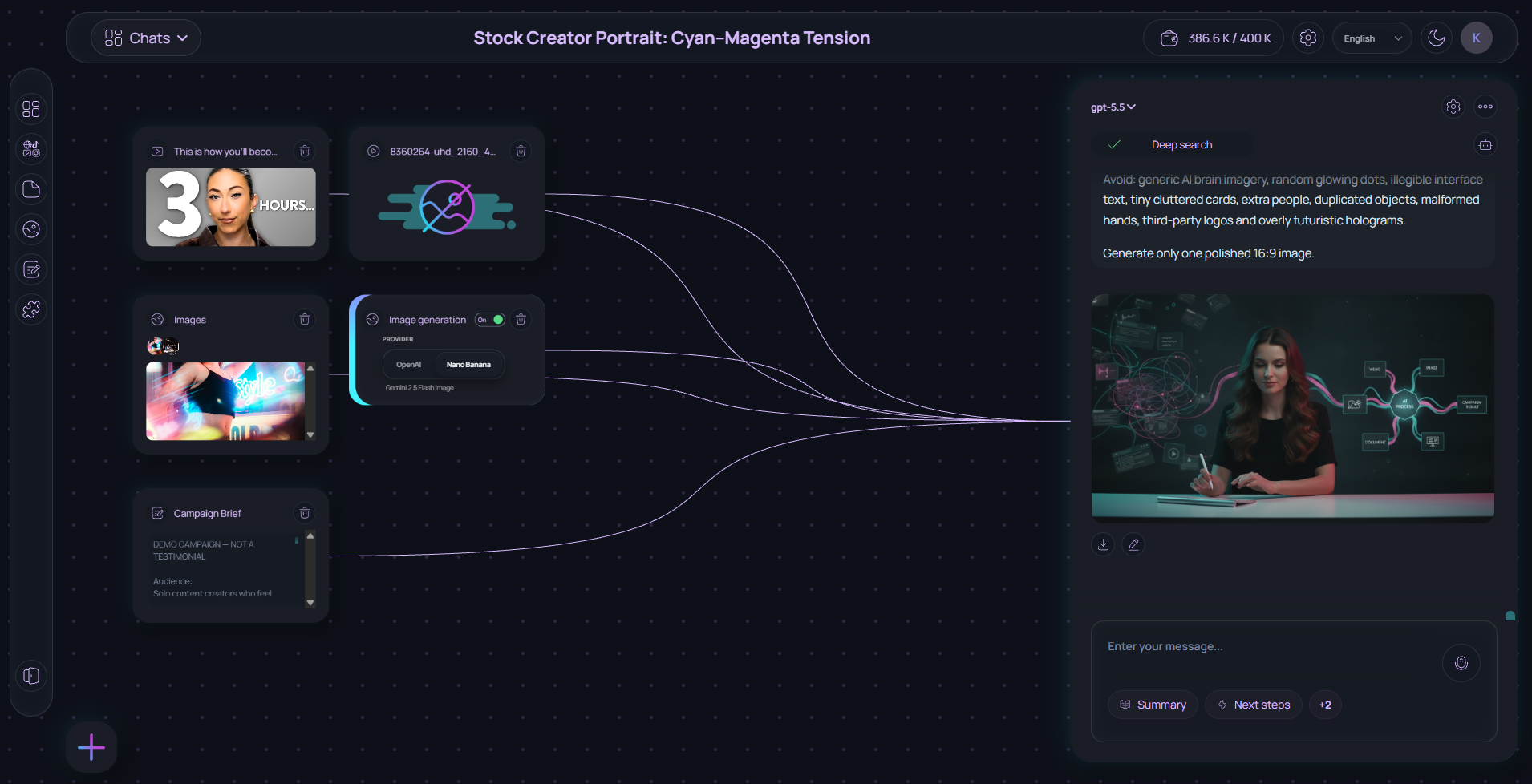
Audience research → Campaign visual
Connect a YouTube video, its comments, a campaign brief and visual references. Blubsy uses comments for audience insight, one image for the subject and another for lighting, then turns the shared context into one campaign-ready visual.
One canvas keeps every source visible and gives each reference a clear role.
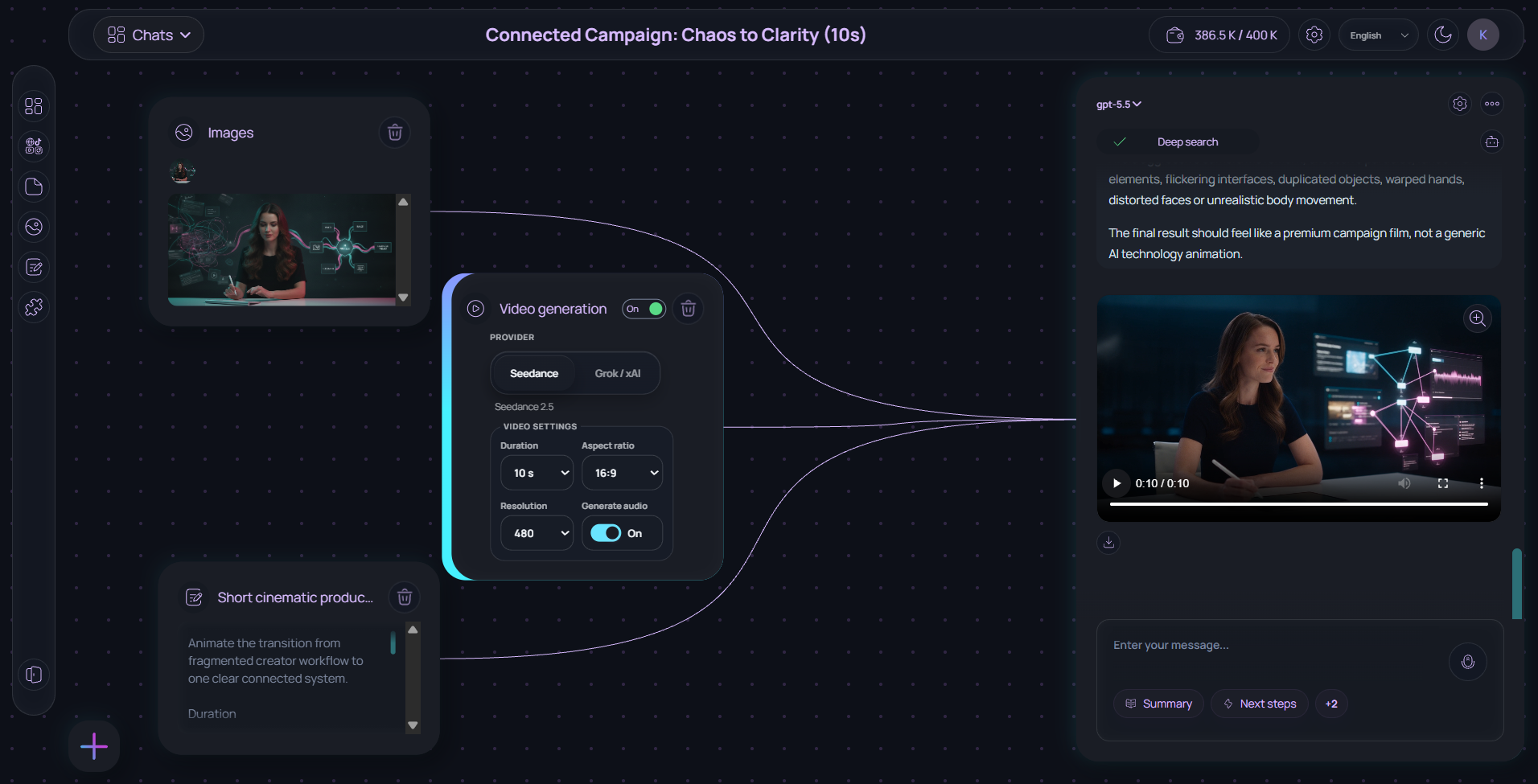
Image-to-video · Seedance 2.5 · 10 seconds · 16:9
Take an image you just created in Blubsy, connect it to Seedance and continue the workflow. Define the motion, pacing and creative direction while keeping the original visual as context.
No downloading, re-uploading or rebuilding the prompt.
Built for real input
Combine a video, comments and a brief to surface questions, objections and content ideas.
Keep goals, references and drafts together while the direction takes shape.
Build an answer from the exact files, images and links that matter to the task.
Start with one question
Open a canvas, connect the first source and keep the answer in context from the start.